
What is DPOR?
DPOR stands for Digital Partner of Record and is used for Enterprise Agreement (EA) subscriptions. It associates us with your Microsoft cloud subscription. It represents the partner who is helping the customer design, build, deploy, or manage a solution that they have built on a service.
When to use DPOR
DPOR should be assigned when we commence engagements with your organisation. This will allow us to report to Microsoft on the services we are providing to you.
Does DPOR grant access to customer data?
We cannot allocate users or access any information or data from within your tenant.
Is there a cost to adding DPOR?
None. This is predominantly a recognition of the partnership between Swift Analytics and your organisation, and a way for Microsoft to understand the ecosystem of service providers.
Setting Swift Analytics as your DPOR for Fabric or Power BI
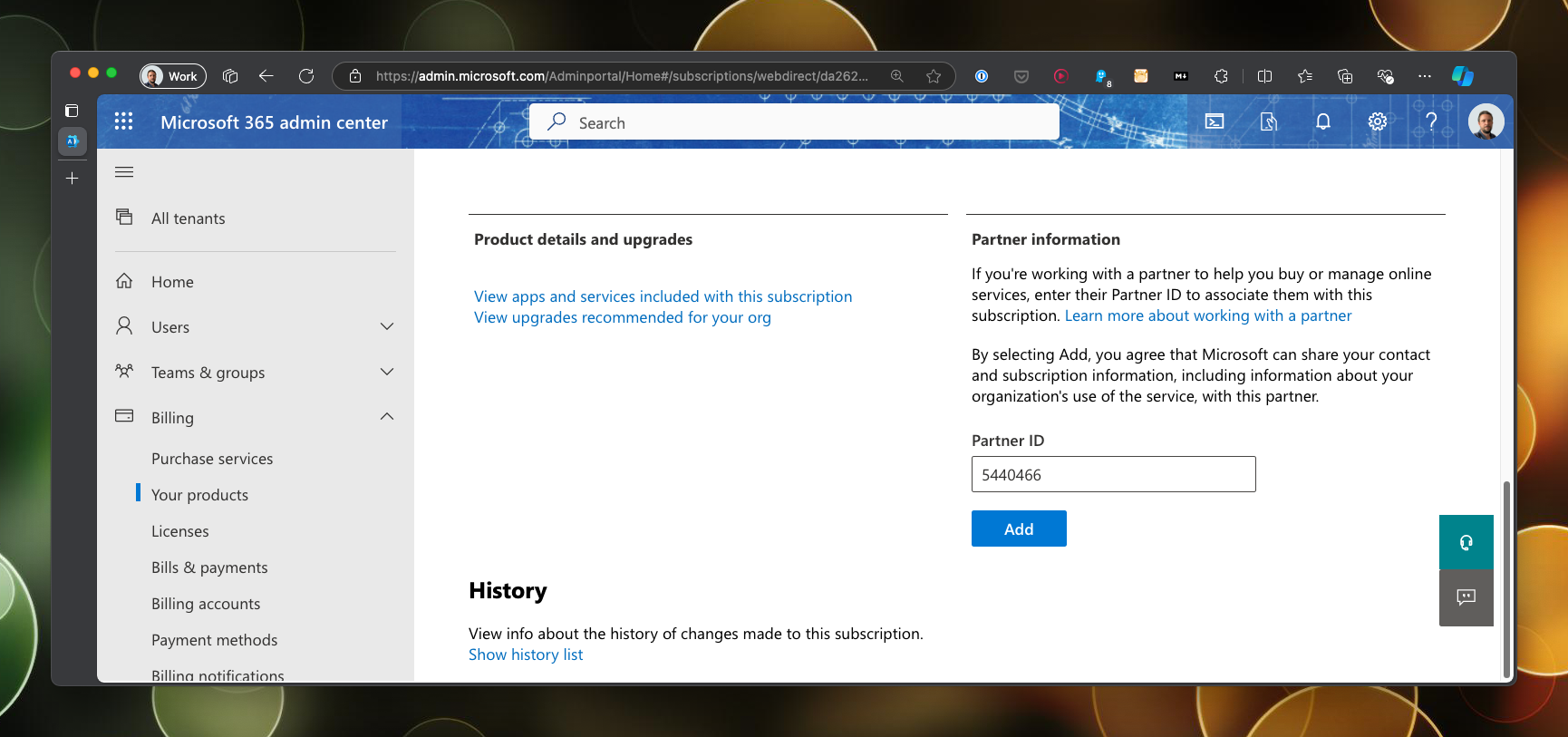
- Log into the Microsoft 365 admin centre.
- Expand Billing in the options blade on the left.
- Click on Your products.
- Click on the product that you want to assign Swift Analytics as the DPOR.
- Find the Partner information section.
- Enter 5440466 in the Partner ID field and press Add.
Setting Swift Analytics as your DPOR for Azure
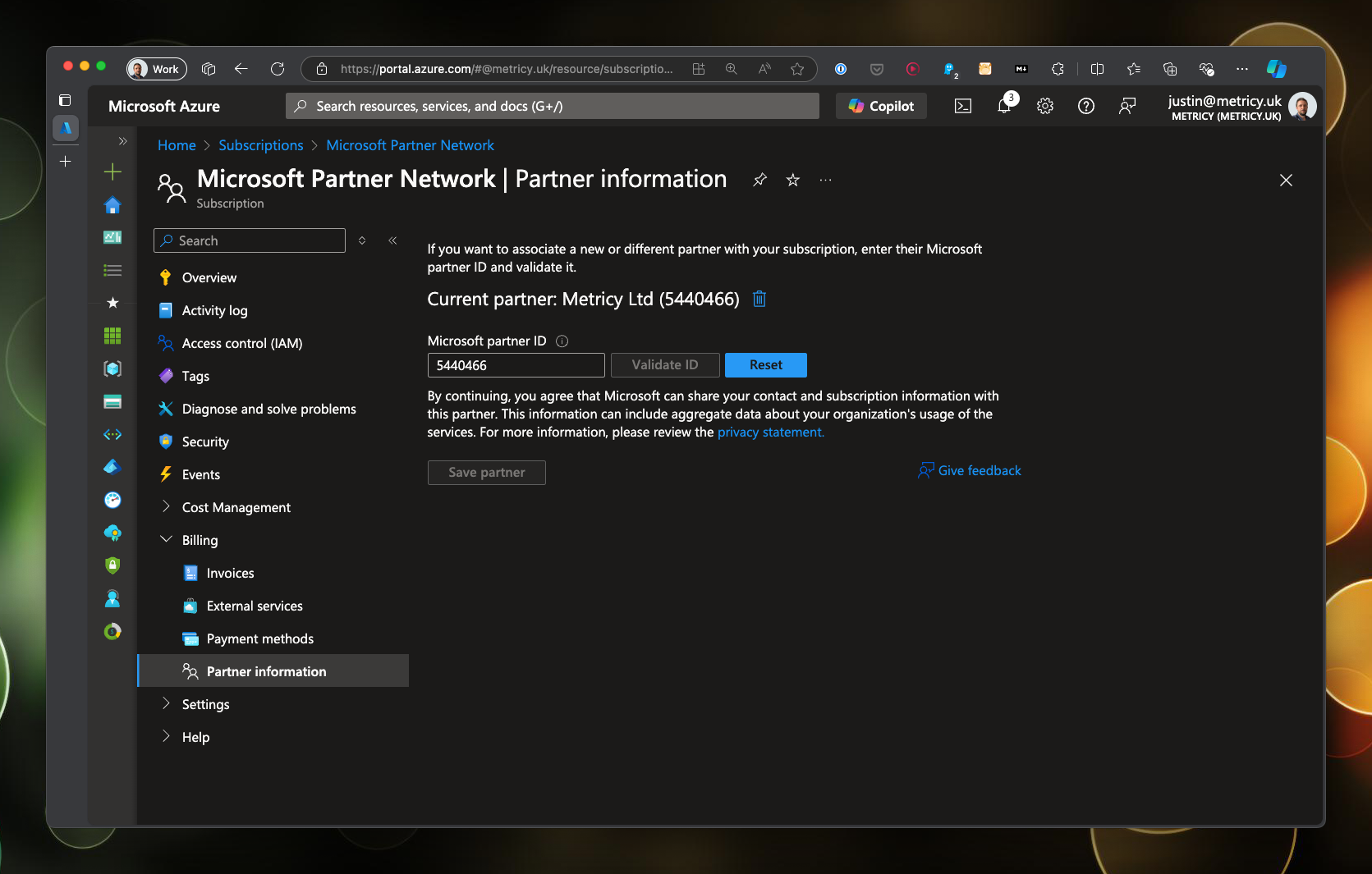
- Log into the Azure portal.
- Search for subscriptions using the search bar.
- Click on the subscription you want to assign Swift Analytics as the DPOR.
- Expand billing in the options blade on the left.
- Click on the Partner information option.
- Enter 5440466 in the Partner ID field and press Validate ID.
- Click Save partner.
- Repeat for any other subscriptions we are supporting you with.
Further reading
You can read more about DPOR at Microsoft Learn.